Android Studio Hub

AI Deployment and Security in Android Studio

Safely deploy and protect AI-powered apps

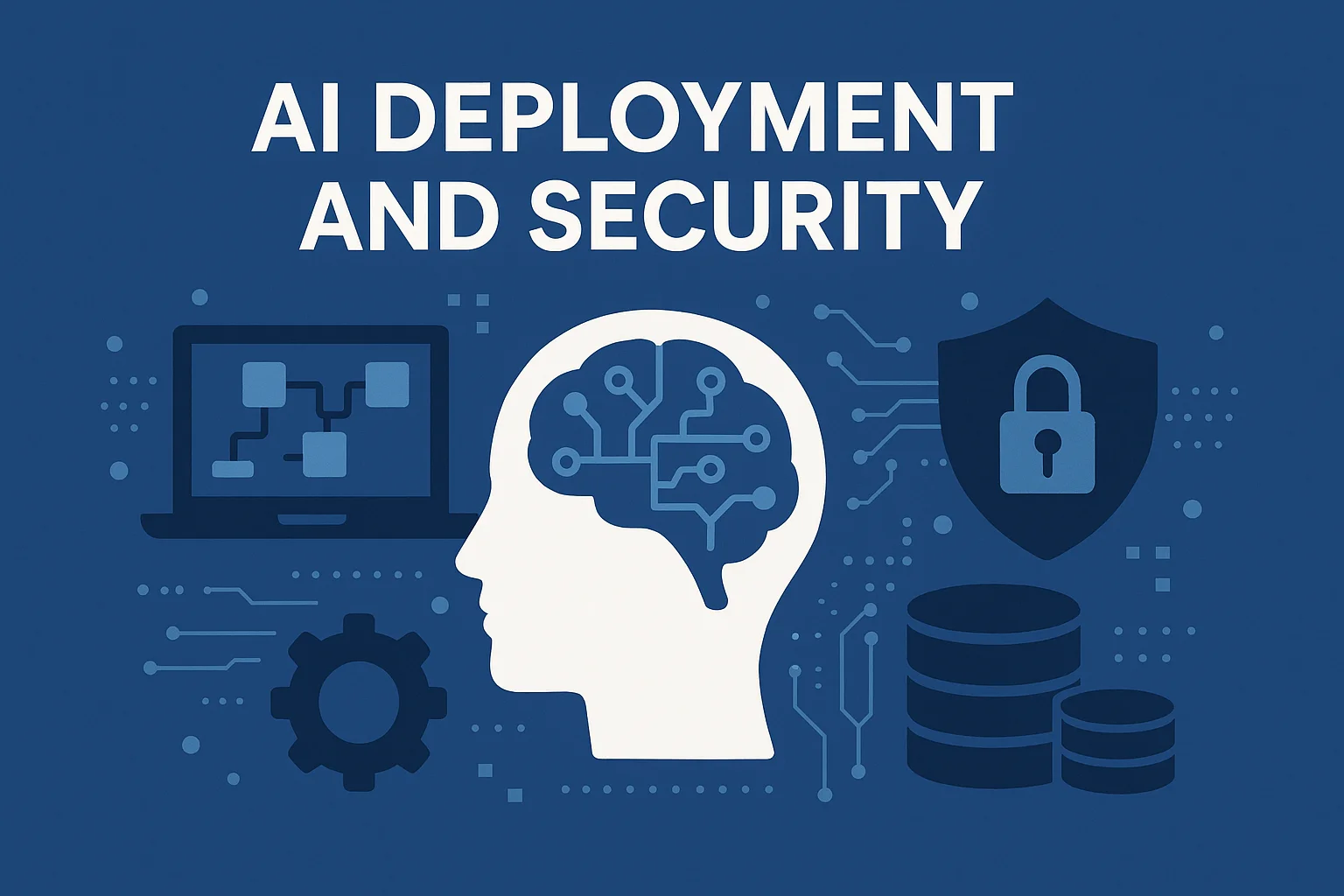
Ai Deployment and Security shows by an image which has human brains look like a network and there are inside images of laptop, showing data base and security.

Secure Deployment

Optimized Performance

Compliance Ready

Deployment Overview

Understand the complete lifecycle of deploying AI models in Android apps.

Training

Train your AI model using TensorFlow, PyTorch, or other frameworks

Conversion

Convert to TensorFlow Lite or ONNX format for mobile deployment.

Deployment

Integrate model into Android app using ML Kit or TFLite.

Monitoring

Track performance, accuracy, and security in production.

How AI Models Are Deployed in Android Apps

Deploying AI models in Android applications requires careful consideration of performance, size, and security. The process typically involves converting trained models into mobile-optimized formats that can run efficiently on devices with limited resources.
TensorFlow Lite

The most popular framework for deploying machine learning models on Android. Optimized for mobile and embedded devices with minimal binary size and fast inference.

ML Kit

Google’s mobile SDK that provides ready-to-use APIs for common ML tasks and supports custom TensorFlow Lite models with built-in optimization.

Secure Deployment Practices

Essential security measures to protect your AI-powered Android applications.

Model Encryption

Encrypt AI models to prevent reverse engineering and unauthorized access.

Secure API Keys

Store API keys in Android Keystore, never hardcode in source code.

Code Obfuscation

Use ProGuard/R8 to obfuscate code and prevent decompilation.

Runtime Protection

Implement root detection and anti-tampering mechanisms.

Input Validation

Validate and sanitize all inputs to prevent adversarial attacks.

Secure Communication

Use HTTPS/TLS for all network communications with AI services.

Tools & Plugins

Essential AI tools and frameworks for Android development. Choose the right solution for your use case.

Use Android App Bundle encryption, store models in encrypted assets, implement integrity checks, and consider server-side inference for highly sensitive models. You can also use tools like TensorFlow Lite Model Maker with encryption support.
Local storage exposes models to potential extraction, reverse engineering, and tampering. Attackers can decompile the APK, extract the model file, and analyze its architecture. Mitigation includes encryption, obfuscation, and splitting sensitive processing between device and server.
Implement input validation, use adversarial training during model development, apply input sanitization, monitor for unusual prediction patterns, and set confidence thresholds. Consider using defensive distillation and gradient masking techniques.
On-device inference offers privacy, offline capability, and lower latency but exposes the model. Cloud-based inference provides better security and model updates but requires internet connectivity. Hybrid approaches can balance both needs based on sensitivity and use case.
Store API keys in gradle.properties (excluded from version control), use Android Keystore System for runtime storage, implement API key restrictions in Google Cloud Console, and consider using Firebase App Check to verify authentic requests.

Learn Deployment

Explore Articles

Tools & Frameworks

Essential frameworks for deploying AI models in Android applications.

TensorFlow Lite

Lightweight solution for deploying ML models on mobile and embedded devices.

KEY FEATURES

  • Optimized for mobile inference

  • Hardware acceleration support

  • Model compression tools

  • Cross-platform compatibility

ML Kit

Google’s mobile SDK with ready-to-use APIs and custom model supporT.

KEY FEATURES

  • Pre-built ML solutions

  • On-device and cloud APIs

  • AutoML integration

  • Built-in optimization

ONNX Runtime

Cross-platform inference engine for ONNX models with excellent performance.

KEY FEATURES

  • Framework agnostic

  • Hardware acceleration

  • Quantization support

  • Broad model compatibility

Choosing the Right Framework

Use TensorFlow Lite when:
  • You need maximum performance
  • Custom model architectures
  • Full control over optimization
Use ML Kit when:
  • Quick integration needed
  • Common ML tasks (vision, text)
  • Cloud fallback required
Use ONNX Runtime when:
  • Cross-framework compatibility
  • Migrating from PyTorch/ONNX
  • Multi-platform deployment

Debugging & Monitoring

Track performance, detect vulnerabilities, and maintain AI model quality in production.

Live Monitoring Architecture

Model inference tracking

  • Model inference tracking

  • Performance metrics

  • Error logging

  • Security events

Analytics Layer

  • Data aggregation

  • Pattern detection

  • Anomaly alerts

  • Trend analysis

Dashboard Layer

  • Real-time visualization

  • Security reports

  • Performance insights

  • Automated alerts

Essential Monitoring Tools

Firebase Performance

Track model inference latency

Android Profiler

Monitor CPU and memory usage

TensorFlow Profiler

Analyze model performance

Crashlytics

Detect and report runtime errors

Play Console

Monitor security vulnerabilities

Custom Analytics

Track prediction accuracy

Compliance & Standards

Navigate data privacy regulations and deploy ethical AI responsibly

GDPR
European Union

Comprehensive data protection regulation requiring consent, transparency, and user rights

CCPA
California, USA

Consumer privacy law granting rights to access, delete, and opt-out of data sales

COPPA
USA

Protects children under 13 by requiring parental consent for data collection

AI Act
European Union

Upcoming regulation categorizing AI systems by risk level with compliance requirements

All Articles

VPN encrypting torrent traffic on laptop screen with secure global connection.
Read More
TikTok Shop global ecommerce trend 2025 visual with world shopping elements
Read More
Cloud IDE setup showing Android Studio coding across laptop, smartphone, tablet, and browser
Read More
Galaxy a36 5G
Read More

Compliance & Standards

Data Privacy

  • Implement data minimization principles

  • Obtain explicit user consent for data collection

  • Provide clear privacy policy and disclosures

  • Enable users to request data deletion

  • Encrypt sensitive data at rest and in transit

GDPR Compliance

  • Establish lawful basis for data processing

  • Implement right to access and portability

  • Conduct Data Protection Impact Assessment (DPIA)

  • Appoint Data Protection Officer if required

  • Maintain processing activity records

Ethical AI

  • Test for algorithmic bias and fairness

  • Provide transparency in AI decision-making

  • Implement human oversight mechanisms

  • Document model limitations and risks

  • Regular audits for ethical compliance

Security Standards

  • Follow OWASP Mobile Security guidelines

  • Implement secure authentication (OAuth 2.0)

  • Regular security audits and penetration testing

  • Vulnerability disclosure program

  • Incident response plan in place

Explore More